One of the most interesting topics raised in Chapter 5 was the discussion over Google’s personalization feature. Google’s currently functionality allows the search engine to retain information about an individual’s preferences. This can lead to different people retrieving different search results on the same keywords entered. While this personalization can be helpful in providing access to information that is more likely to be relevant to a user, critics argue that people do not have access to the broad scope of information available, only information that is likely to reinforce a certain viewpoint. I think this debate holds interesting implications for my work with students. As students become increasingly connected with the ability to build their web presence and profile at an earlier age, do personalized searches inhibit their ability to grow and become exposed to diverse information that challenge their word view? As a teacher, I would want students to be exposed to assorted resources that push them to confront and question their assumptions. One potential lesson I can see developing in my classroom to raise awareness of this issue is to have all of my students search the same keyword, take note of the differences in search results, and have a class discussion about why there is a difference in the results.
As someone who has relatively recently begun using Memo on
my Android phone to take notes and
 record random observations or thoughts, I
was excited to see the inclusion of electronic note-taking as a strategy to summarize
and recall information. Electronic
note-taking can hold particular promise for children with disabilities. A student with memory issues may be able to
quickly write and organize their thoughts on a portable device while a student
with dyslexia may be able dictate their thoughts and notes into their phone
rather than spending the energy trying to find the right letters. There has also been a study (Belson &
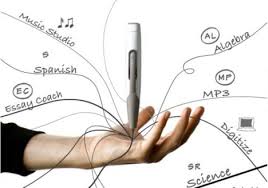
Sherman, 2013) into the efficacy of digital smart pens in reducing the
cognitive load of students with language-based disabilities so they can better
focus on primary learning goals. Belson
and Sherman’s findings suggest that utilizing digital pens can improve the
quality of student notes and note-taking strategies.
record random observations or thoughts, I
was excited to see the inclusion of electronic note-taking as a strategy to summarize
and recall information. Electronic
note-taking can hold particular promise for children with disabilities. A student with memory issues may be able to
quickly write and organize their thoughts on a portable device while a student
with dyslexia may be able dictate their thoughts and notes into their phone
rather than spending the energy trying to find the right letters. There has also been a study (Belson &
Sherman, 2013) into the efficacy of digital smart pens in reducing the
cognitive load of students with language-based disabilities so they can better
focus on primary learning goals. Belson
and Sherman’s findings suggest that utilizing digital pens can improve the
quality of student notes and note-taking strategies.
I currently tutor a family of kids in the Bronx and one of
the first things they do when looking up definitions or information about a topic
is use Google. While this strategy works
well to start with, they invariably click on the first link that is pulled up
and try to use the information presented there as their main source. Needless to say, I found the section on helping
students evaluate online information particularly relevant. I agree with the authors when they say that
the teacher’s guidance in how to sift through information is especially
important in teaching children how to critically evaluate resources and information.

One of the most exciting aspects of learning that I am excited to share with my students is the world beyond the classroom. Whether it is learning about how different countries all view the issue of climate change or discovering what subjects are children in Sierra Leone learning today, technology has the potential to expand the world view of my students. I appreciated the inclusion of videoconferencing as a strategy to achieve this goal in Chapter 6. I plan on using videoconferencing to provide students with a window into the lives of others around the globe and an opportunity to create shared knowledge.
Questions:
1) What strategies would you use as a teacher to help students critically evaluate web information/resources?
2) What are some potential technologies that you think can benefit children with disabilities?
3) Do you believe that Google's personalized searches are a useful teaching tool?
References
Belson, S. I.,
Hartmann, D., & Sherman, J. (2013). Digital note taking: The use of
electronic pens with students with specific learning disabilities. Journal of Special Education Technology,
28(2), 13-25.
Maloy, R.,
Verock-O’Loughlin, R., Edwards, S., Woolf, B. (2014). Transforming learning
with new technologies. 2nd Ed. Pearson Publishing.

Hi Carline,
ReplyDeleteI once saw an advertisement for electronic note taking pen where people would use a pen connected to a computer via USB and 'highlighted' the sentence they wanted and the computer would recreate it for them so that they can compile all their notes together. It looked pretty awesome and I think would help learners who have comprehension and memory problems. My only issue would be with that is if we are given them a crutch instead of tackling their comprehension problem or are we helping them grow from it using the pen. Anyway, I once tried to use the notes feature and I totally forgot about the notes and ended up reading everything again and found them a few weeks later. So needless to say, I don't really use electronic note taking. To answer one of your reflection question (#3), I would have the learners look at the URL to detect anything fishy, find a related article or piece of information to give better credibility to what they found, and show them how to use databases instead of search engines.
After reading your #2 reflection question, I was curious myself that what kind of technologies out there would benefit children with disabilities. I found several that would be a good tool to use.
ReplyDelete1. Audio Players and Recorders- Many e-books have audio files, and smartphones and tablet computers come with text-to-speech software that can read aloud anything on your child's screen. If a child struggles with writing or taking notes, an audio recorder can capture what the teacher says in class so your child can listen to it again at home.
2. Seat Cushions- An inflatable seat cushion can help kids with sensory processing and attention issues. The cushion can provide enough movement and stimulation to help a child maximize his focus without having to get up and walk around.
3. FM Listening Systems- Frequency modulation systems can reduce background noise in the classroom and amplify what the teacher says. This can help with auditory processing issues as well as attention issues. FM systems are also used to help kids with hearing impairment, autism spectrum disorder and language-processing issues.
With help of technology, children can get most out of their learning. With help of a recorder, a students could listen to teachers over and over so child doesn't skip any teacher instructions that they couldn't catch in class.Seat Cushions would be very interesting tool but it could help greatly with children with attention issues and for teachers as well to control the child while teaching 10-20 other students to take care of.